

Save a Paste
When the save action is available, select it from the bar below the paste content.
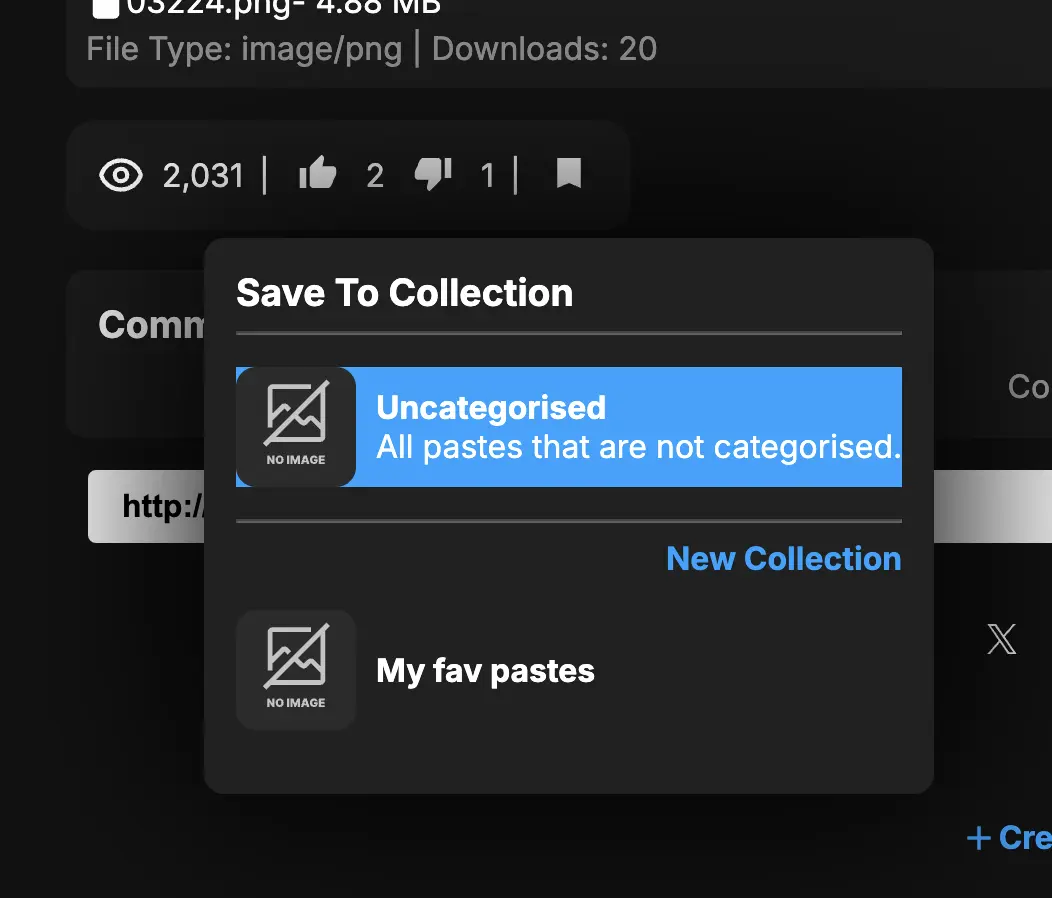
Choose a collection or leave the paste uncategorized.
Where to Find Saved Pastes
Section titled “Where to Find Saved Pastes”Signed-in users can open Dashboard → Saved to see saved pastes on any device.
Collections
Section titled “Collections”Collections organize saved pastes. Select New collection, give it a name, and choose its visibility.
Collections will appear in the saved pastes page. You can click on a collection to view all pastes saved in it.
Collections can be shared with others by sharing the collection link. The collection link can be found in the collection page.
Open a collection you own and select Manage to review its views, saved-paste count, and creation date, or to edit its name, description, and visibility. Deleting a collection keeps its pastes saved and moves them to Not in a Collection.
Saving without an account
Section titled “Saving without an account”Where guest saving is offered, the saved list remains in that browser. Sign in when you want saved content available across devices.
Can I save an encrypted paste?
Section titled “Can I save an encrypted paste?”Yes, when the save action is available. Saving does not remove the password or other access requirements.
Does saving make a copy?
Section titled “Does saving make a copy?”No. A saved item points to the original paste. It becomes unavailable if the owner deletes it or changes access.